Summit Hub
Project · Your building business

Every job. Every dollar. Every client. One Hub.

Summit Hub runs the lot: pipeline, estimates and quotes, job schedules, Xero-connected cost tracking and invoicing, and a branded client portal — with an AI assistant that answers from your live job data and does the typing. Connect HubSpot, Xero and Buildxact if you run them; the rest works natively if you don't.

14-day free trial on every plan · from $199/mo NZD · built for NZ builders

Revisions
  1. REV APipeline, estimating & Xero on every dealISSUED
  2. REV BClient portal, e-signing & job schedulingISSUED
  3. REV CThe AI assistant — ask, approve, doneCURRENT ISSUE
Summit Hub staff pipeline board
SH-02 · The AI assistant

Ask the Hub. It does the typing.

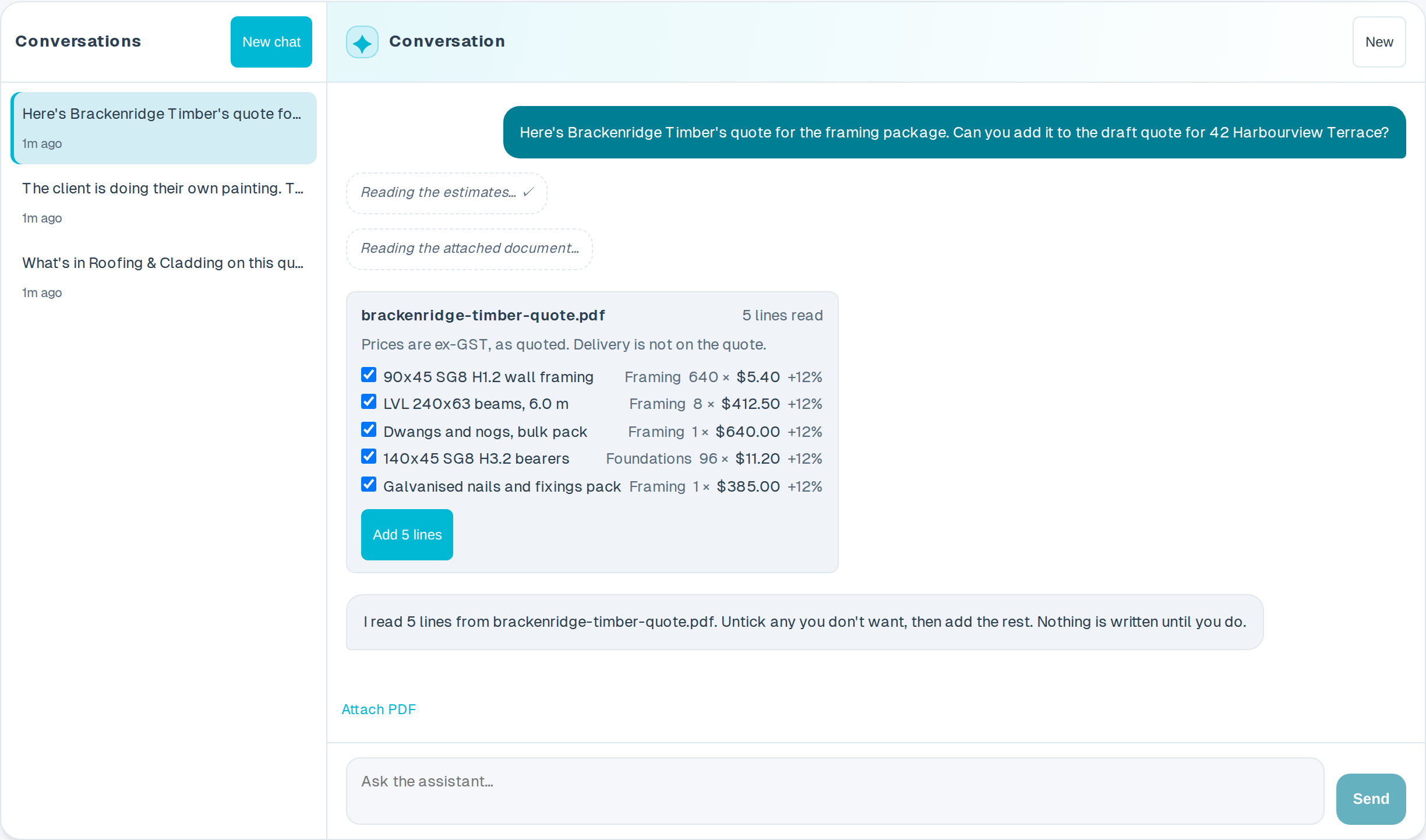
Every staff seat gets an assistant that reads your pipeline, estimates, tasks and schedule as they are right now. Ask what's left in Roofing, or tell it to put the supplier's quote on the estimate. It answers in plain English and makes the change in front of you.

  • Answers from your jobs. Deals, estimate line items, variations, tasks and the schedule, scoped to your company and to what your own account is allowed to see.
  • Changes you approve. It adds and edits draft estimate lines live in the grid; anything destructive stops on an Approve / Decline card naming exactly what it's about to touch.
  • Reads supplier PDFs. Attach a quote and it comes back as priced, categorised estimate lines — untick what you don't want, apply the rest in one click.

Company plan · every conversation kept in the owner's audit trail

SH-03 · THE PROGRAMME

One job, start to finish

Five stages, each doing its own paperwork so the job keeps moving.

  1. Enquiry lands

    An enquiry drops onto the board and the follow-up books itself.

  2. Price it properly

    Estimate from your price book or Buildxact; subbies price it without seeing your numbers.

  3. Signed, not shaken on

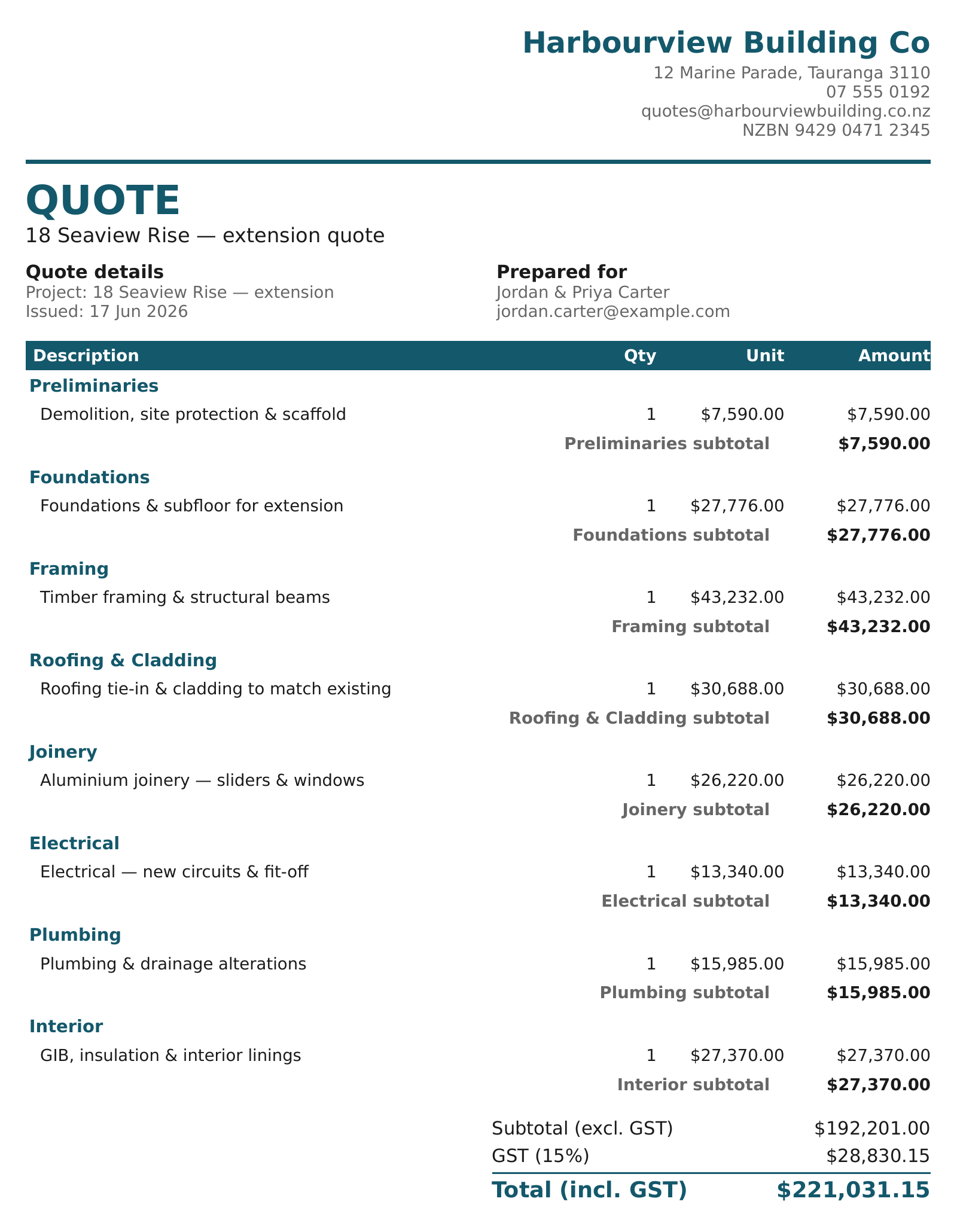
    The quote PDF goes out, the client e-signs on their phone, and the Xero draft invoice raises itself.

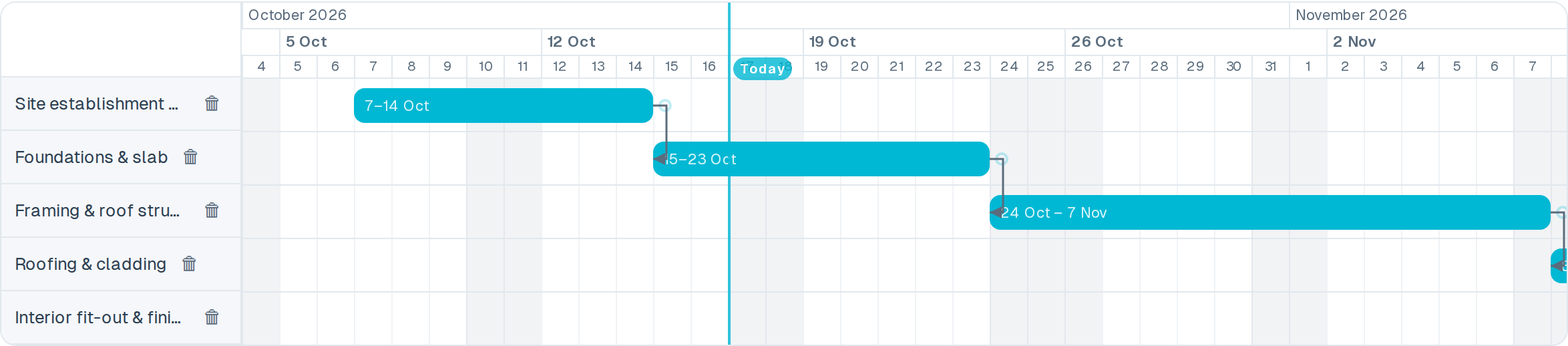
  4. Run the build

    The schedule feeds their calendars, the crew gets price-free specs, the client watches it happen.

  5. Paid and on record

    Invoices land against categories and the job files itself into the client's history.

SH-05 · WHO HOLDS THIS SET

Four sets of hands, one set of drawings

Everyone around the job works from the same live copy, and each of them only sees the sheets that are theirs.

AThe owner

Margins without the spreadsheet

  • Invoiced and potential totals across every active job, on one page
  • Cost tracking that shows projected-to-come before it's spent
  • Xero synced both ways, with no month-end double entry
For business owners
BThe office

Every job on one board

  • Drag deals through stages; the automations do the follow-up
  • A shared to-do board with a bell for what changed
  • The schedule feeds Google, Outlook and Apple calendars
For project managers
CThe site crew

The scope, without the money

  • Read-only field accounts: pipeline, deal detail and estimate scope
  • Price-free specification PDFs they can read on site
  • The job schedule on their phone, always current
For builders on the tools
DYour clients

A portal instead of phone tag

  • A branded window into their build: photos, updates, decisions to make
  • A cost chart published from your numbers, category by category
  • Agreements and quotes e-signed from any device
For your customers
SH-06 · The client portal

Give every client a window into their build

No more “what's happening with my job?” calls. Clients open a clean, branded portal and see exactly where their project is: photos, updates, decisions to make and forms to fill, all kept current whenever your team posts.

  • Built from a template. Start from your ready-made portal, drop in photos and videos, and publish — each client only ever sees their own job.
  • Signed before it starts. Pre-start agreements and quotes get e-signed in the portal, filed with a full audit trail.
  • Answers flow back. Forms, decisions and a notify button bring the client's side straight to your team.
A client's live portal feed for their build
SH-07 · The money

Know where every dollar stands before it's spent

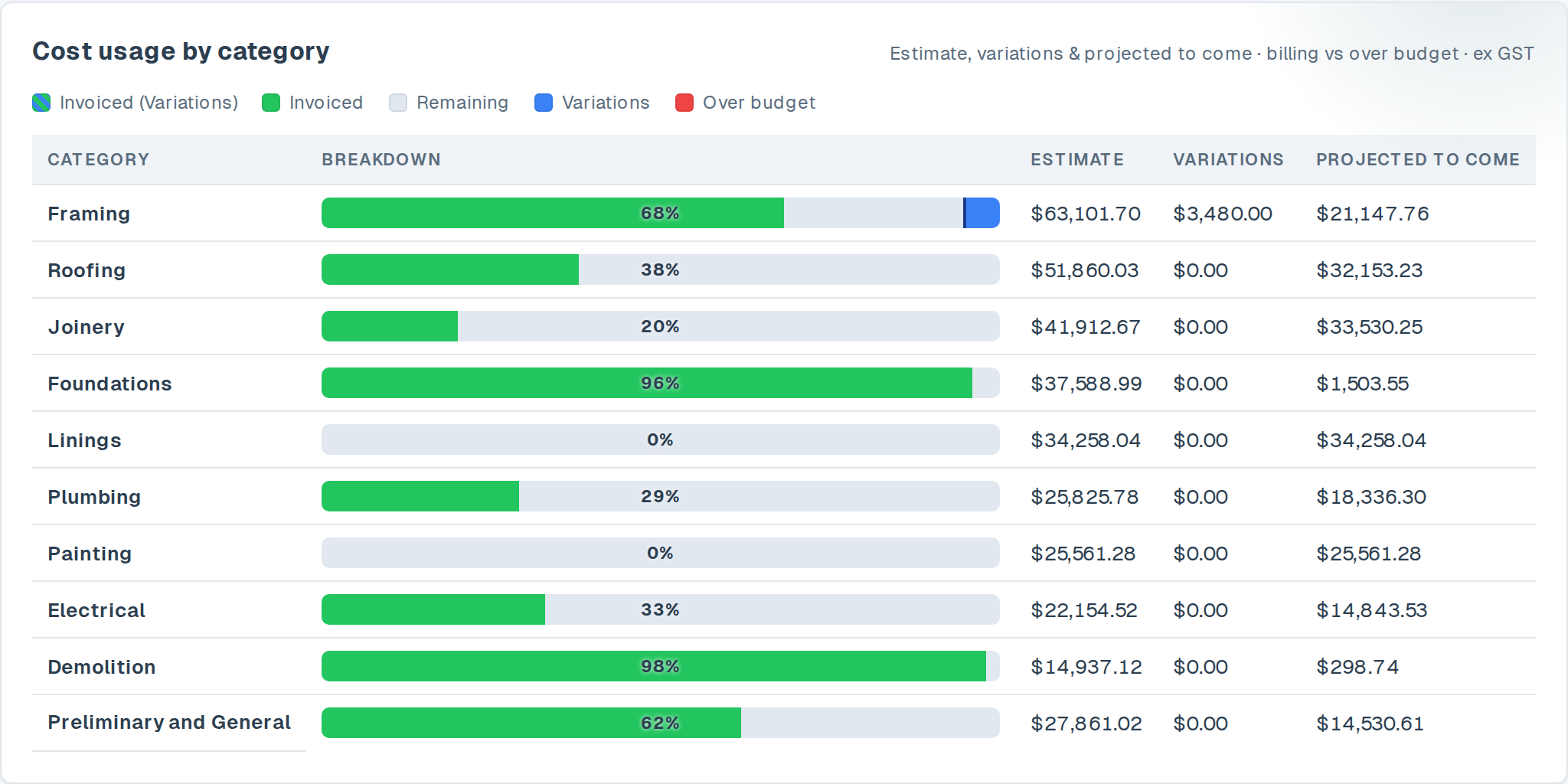
Costs land against your categories as Xero invoices arrive, projections show what's still to come, and the same numbers publish to the client's cost chart — so the margin conversation happens while the job is still running.

  • Live cost tracking. Estimate against invoiced against projected-to-come, category by category, with overrides where you know better.
  • Synced from Xero. Invoices and contacts sync in; an accepted quote can raise the draft invoice itself.
  • One financial overview. Invoiced and potential across every active job, a work-in-progress breakdown, and an Excel export for your accountant.
The client cost chart, invoiced against the agreed total by category
SH-08 · CONNECTED SYSTEMS

Bring your own stack, or don't

Already on HubSpot, Buildxact or Xero? HubSpot and Xero connect in one click, Buildxact with the API key from your account — then Summit Hub keeps them in sync in the background. If you're not, the bottom row of the legend is the whole story.

Legend · Connected systemsDWG SH-08
  • CRMHubSpotDeals and contacts flow in from your CRM. Lead statuses update automatically as projects progress.
  • ESTBuildxactEstimates and job data stay in sync. Variations and cost breakdowns appear alongside your pipeline.
  • FINXeroDraft invoices and contacts are created automatically. Payment statuses sync back to your deal view.
  • NATSummit Hub nativePipeline, estimating, quotes, scheduling and the client portal run right here — nothing else to subscribe to.
SH-09 · PLANS

Pick the size of your crew

Prices in NZD per month, a 14-day free trial on every plan, and no lock-in — change or cancel any time.

PLAN A

Solo

$199 / month

For the one-person band — pipeline, quotes, client portal and your accounts connected.

  • Pipeline, contacts & native estimating
  • Branded quote PDFs
  • Client portal for up to 10 clients
  • Job scheduling, To-Dos & notifications
PLAN B

Crew

$599 / month

For growing teams — estimating, lead capture and full cost visibility from frame-up to handover.

Everything in Solo, plus

  • Up to 10 staff seats & restricted Field accounts
  • Unlimited clients & open deals
  • Buildxact estimating integration
  • Cost tracking, Excel exports & version store
PLAN C

Company

$1,499 / month

Includes the AI assistant

The turnkey platform for established firms — automations, every integration, no limits.

Everything in Crew, plus

  • AI assistant for your office staff
  • Unlimited staff seats & portal templates
  • Workflow automations
  • HubSpot CRM integration
Compare every plan line by line →

Put your next job on the Hub.

Start free, connect your tools if you want them, and give your clients a build they can watch.

Start your free trial